Stock is never fully trusted
Raw material, WIP, and finished goods differ between the register, Excel, and the actual floor.
Connect stores, purchase, multi-level BOM production, quality, dispatch, and management reporting without forcing the plant into a generic ERP process.
Plant control center
Shift A · live operations
Stores accuracy
Production orders active
Scrap alerts
Dispatches ready
The system is designed around the moments where manual work, missing information, and delayed decisions cost the most on the floor.
Raw material, WIP, and finished goods differ between the register, Excel, and the actual floor.
BOM consumption, job work, machine output, and scrap are updated after the shift instead of during it.
Inspection status, batch history, and dispatch readiness are difficult to verify quickly.
Live stores stock, inward entries, supplier orders, reorder visibility, and material issue controls.
Multi-level BOM, production orders, stage output, consumption, scrap, and job-work tracking.
Inspection checkpoints, batch history, rejection reasons, and approval evidence in one place.
Ready-to-dispatch status, invoice handoff, production trends, and exception-focused dashboards.
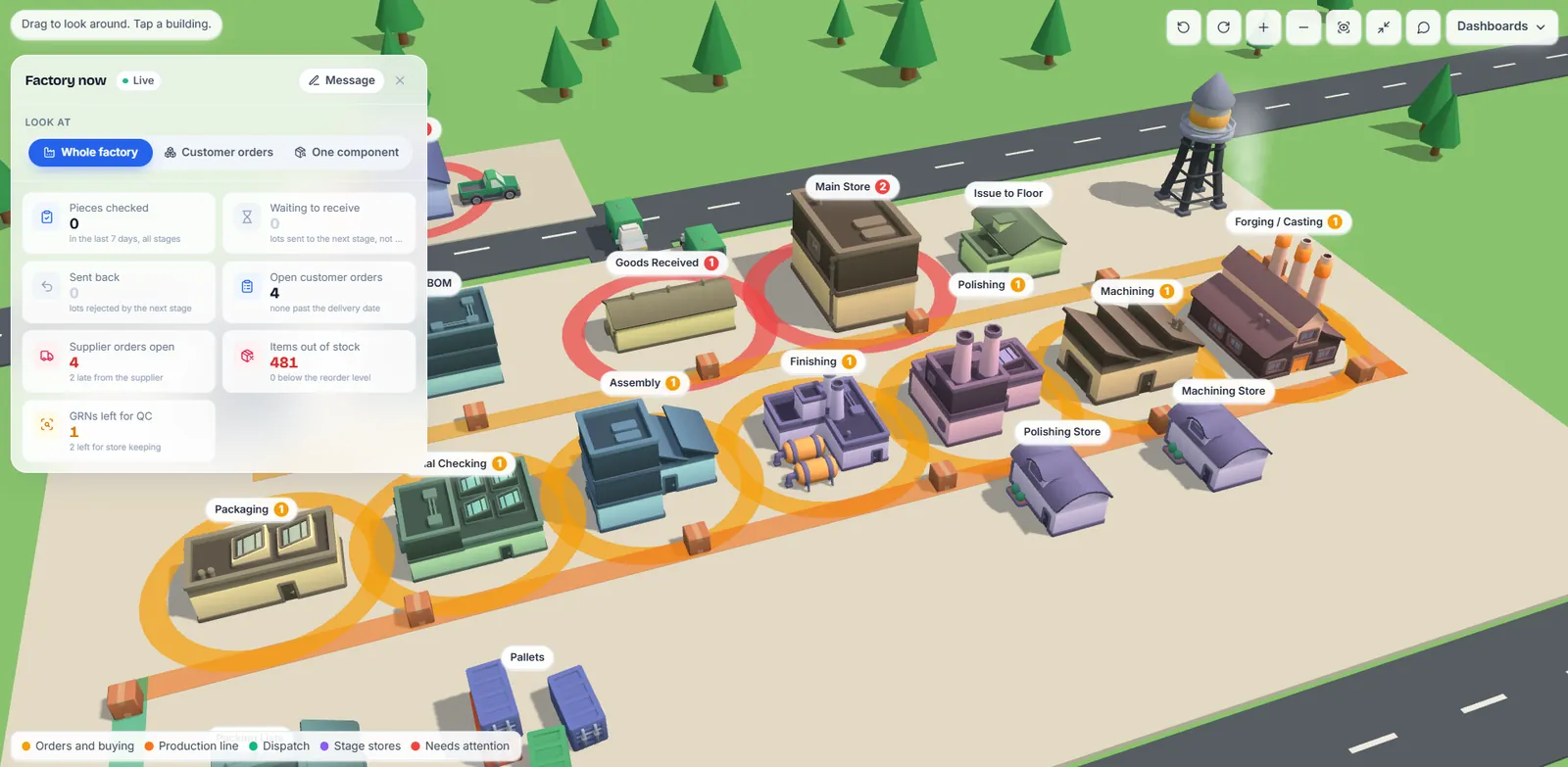
For a hardware components manufacturer, we built an ERP that shows the whole factory as a live 3D map. Owners and supervisors see where every lot is, which stage is behind and which orders are at risk, then drop into dashboards for orders, quality, buying and dispatch.
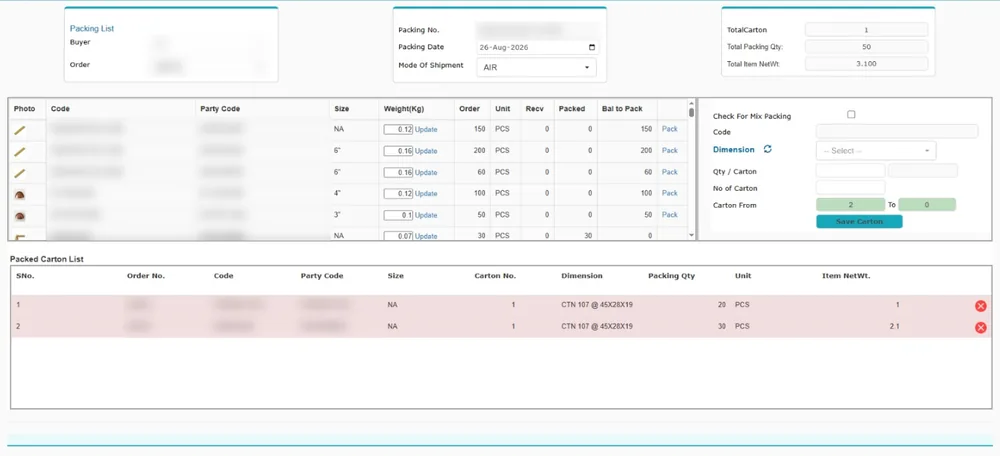
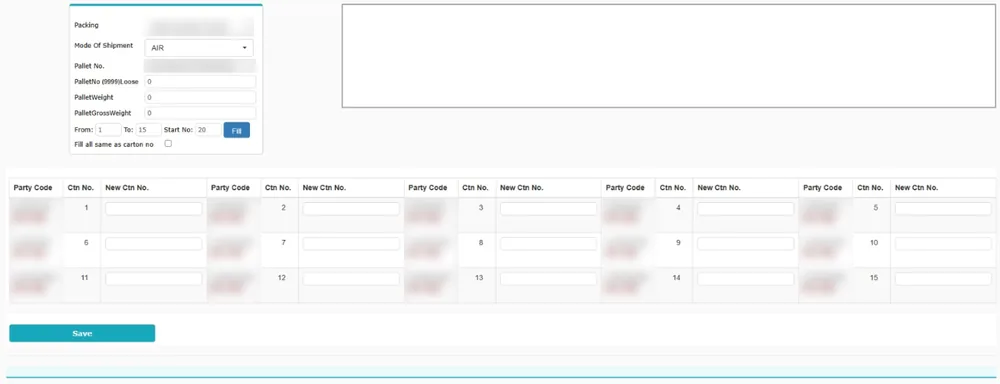
The factory’s previous system worked screen by screen. Packing lists were built carton by carton, item weights were updated row by row, and pallet and carton numbers were re-keyed by hand. None of these screens showed where an order stood on the floor.
Every stage — goods received, main store, forging and casting, machining, polishing, finishing, assembly, final checking and packaging — is a building. Tap one to see what is waiting there and what is stuck.
Pieces made today, orders sent on time, goods dispatched by invoice value, and where the pieces are right now across seven stages, against today’s target.
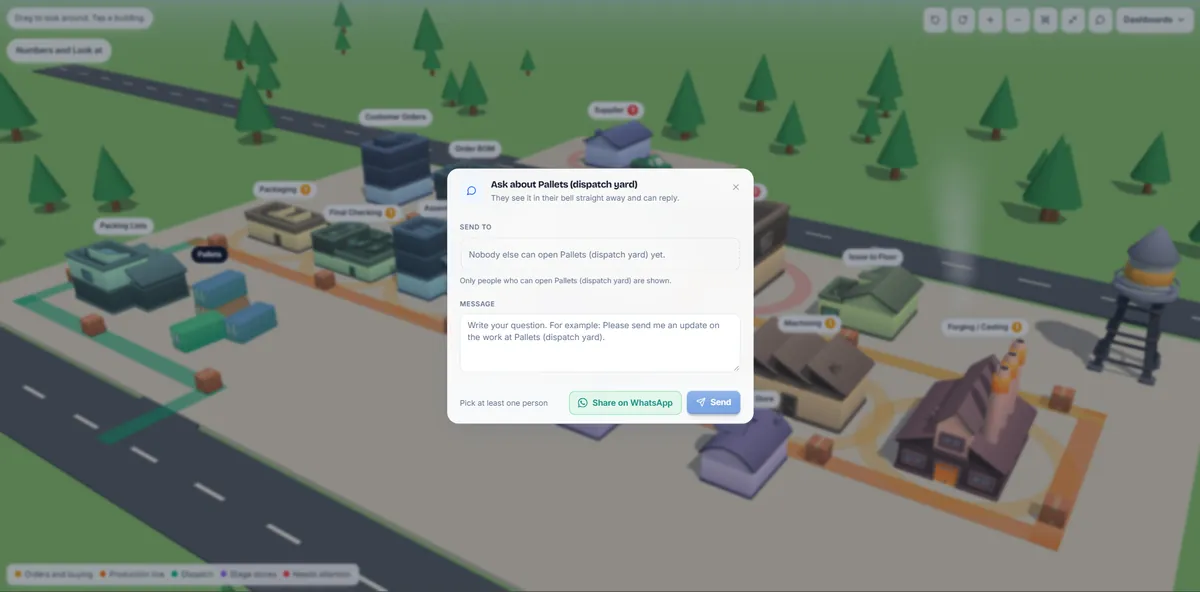
Tap any building to message the people who can open that section. They see it in their bell and can reply, or you can share it on WhatsApp.
A stage falling behind, a raw material about to run out, or an order due in two days that is still at machining appears as an alert before anyone has to ask.
Order tracking by client and by purchase order: pieces, current stage, percent done, due date, and whether it is on track, running late or waiting for material.
Stage stores, GRNs waiting for quality checks, supplier orders running late, items below reorder level, and lots sent back by the next stage.
Clients, SKUs, components, finishes and materials, with a bulk BOM editor and BOM templates, so new products start from a template instead of from scratch.
99.4%
Stock accuracy achieved in a live factory system
18%
Material waste reduced through live tracking
4–6 wks
Typical phased first-plant go-live
Bring one BOM, one stock register, and your current dispatch flow. We will show how the first connected release should work.
No. We configure the core system around your material flow, BOM stages, approvals, quality checks, and dispatch process.
Yes. We clean and import the useful master and opening data so the team does not start from zero.
Phase 1 core modules usually go live in four to five weeks, including data migration and shop-floor training.
Yes. Training, role permissions, and go-live support are part of the rollout.